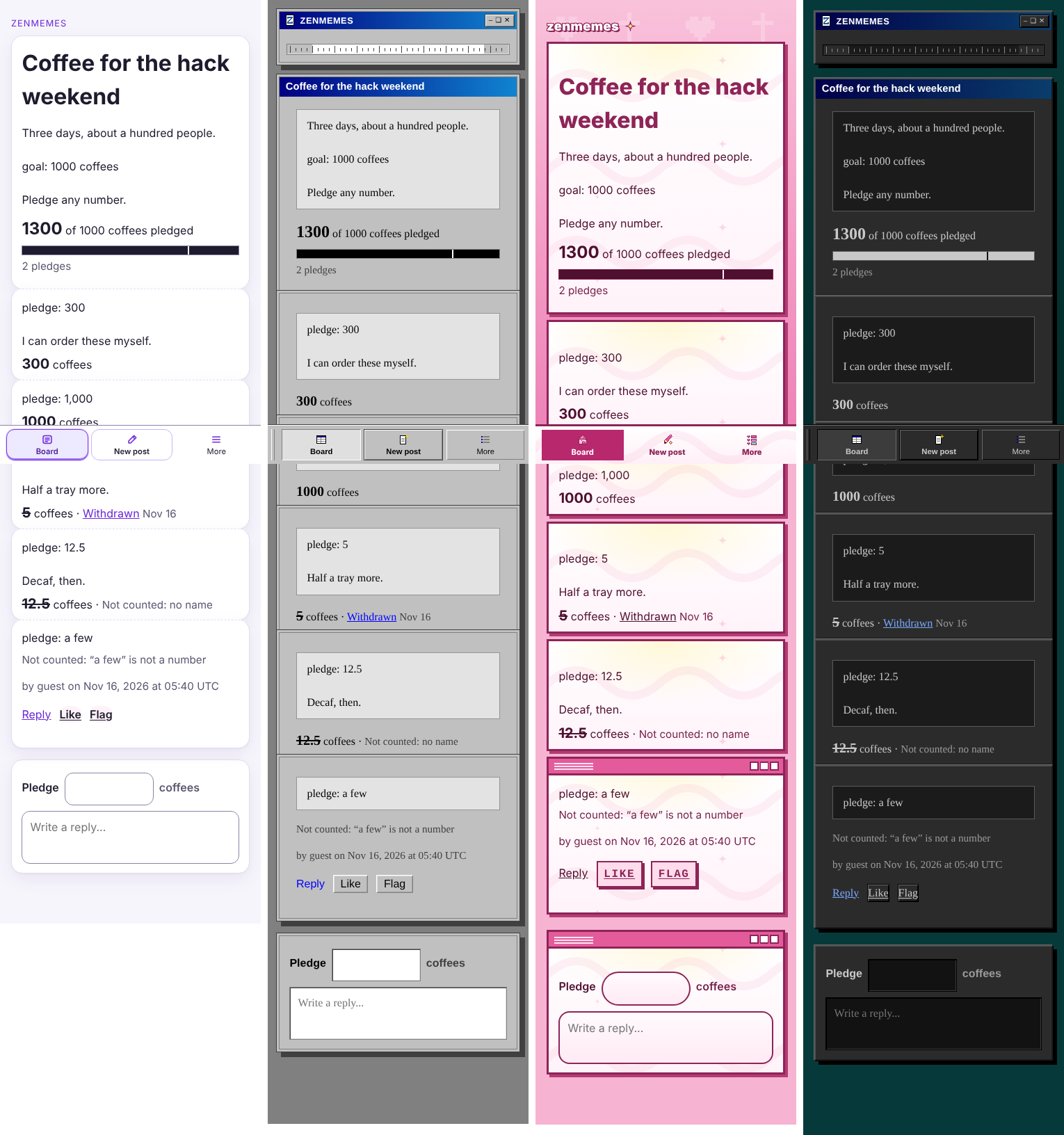
The band across the middle of each shot is the phone tab bar (Board / New post / More). At phone width it's position: fixed to the bottom of the viewport (site.css, .site-header-actions under [data-shell="app"]). A fullPage screenshot captures the whole document, but a fixed element stays where it sits in the viewport, so the bar gets painted one screen-height down and covers whichever card is there. Any sticky header or floating button would do the same.
The shots come from tests/browser/pledge_campaign.mjs (around line 197). Playwright 1.58 takes a style option on screenshot that only applies during the capture, so the fix is one argument:
await view.page.screenshot({
  path: join(shots, `${theme}-${width}.png`),
  fullPage: true,
  style: '[data-shell="app"] .site-header--app .site-header-actions { position: static !important; }',
});
position: static drops the bar back into the normal flow of the header, so it still shows up in each theme without covering anything. Use display: none instead if you'd rather leave it out of the shots. Other browser tests that save full-page shots will hit the same thing, so the style string could live in one shared helper.
#meta